
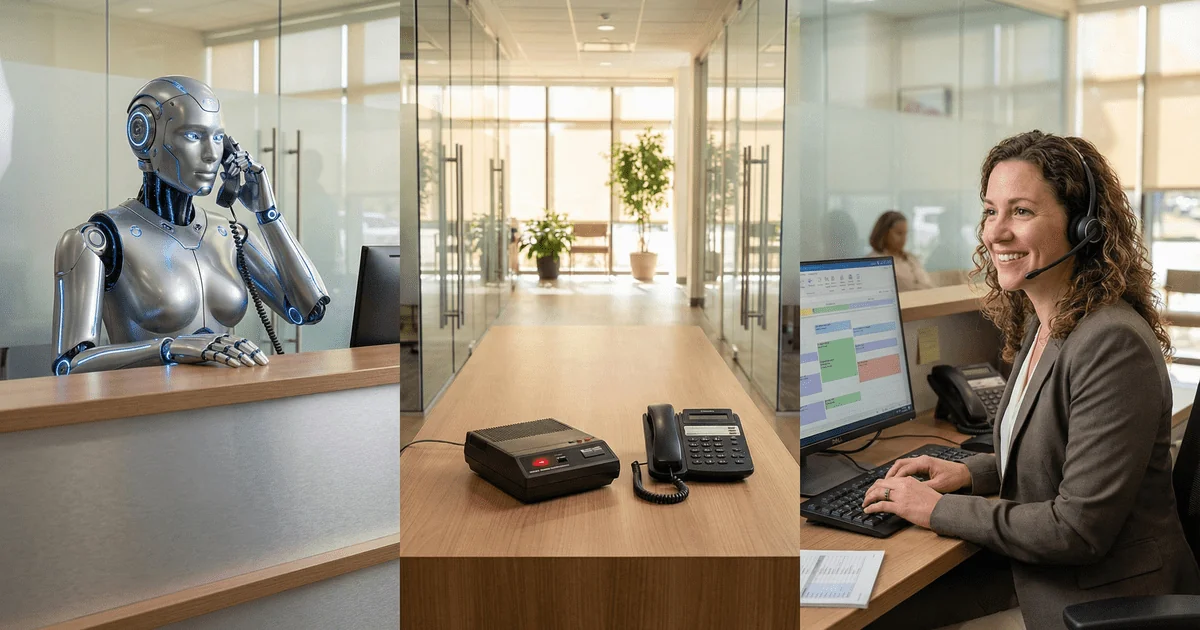
AI receptionist, virtual front desk, answering service: the healthcare intake market is drowning in confusing terminology. For multi-location groups evaluating options, the differences matter. Choose wrong and you’ll either overpay for calls AI could handle, or lose patients to an AI that can’t handle complexity. Here’s the decision framework that cuts through the noise.
The core insight: The AI vs. human debate is a false choice. The real question is: which calls need human judgment, which can automation handle, and how do you architect a system that routes correctly?
Table of Contents
- What Does Each Term Actually Mean?
- How Do the Three Models Compare?
- What Is the Call Complexity Spectrum?
- When Do AI Receptionists Work (And When Do They Fail)?
- When Does Human Answering Work (And When Doesn’t It Scale)?
- Why Does the Hybrid Model Often Beat Either/Or?
- Decision Matrix by Location Count and Specialty
- What Does Cost Look Like at Scale?
- What Should You Expect from Implementation?
- What 15 Questions Should You Ask Any Vendor?
- Frequently Asked Questions
What Does Each Term Actually Mean?
The healthcare intake industry uses these terms inconsistently. Here’s what they actually mean:
AI Receptionist
Definition: Software that uses conversational AI (voice or chat) to answer calls, understand caller intent, and handle routine tasks without human intervention.
What it actually does:
-
Answers calls immediately, 24/7
-
Gathers patient information (name, DOB, reason for call)
-
Handles simple scheduling for available slots
-
Routes complex calls to humans (in theory)
-
Provides scripted responses to common questions
What it doesn’t do:
-
Handle emotionally complex situations
-
Make clinical judgment calls
-
Navigate unusual scheduling scenarios
-
Adapt to unexpected caller needs
Common vendors: TrueLark, Hyro, Podium, various white-label solutions
Virtual Front Desk / Virtual Receptionist
Definition: Remote human receptionists (typically employed by a third-party service) who answer calls on behalf of your practice, with access to your scheduling systems and protocols.
What it actually does:
-
Answers calls as your practice (custom greeting, practice name)
-
Schedules appointments directly in your PM system
-
Handles complex patient interactions with human judgment
-
Follows your protocols for emergencies, insurance questions, etc.
-
Provides warm transfers when needed
What it doesn’t do:
-
Scale infinitely (requires staffing)
-
Provide unlimited capacity at low cost
-
Know local office details without training
Common vendors: MyBCAT, Ruby, Smith.ai, AnswerConnect (with varying healthcare specialization). Learn more about our medical answering service and how it works.
Traditional Answering Service
Definition: A call center that answers calls and takes messages for later callback, with minimal system integration or healthcare training.
What it actually does:
-
Answers overflow and after-hours calls
-
Takes messages (name, phone, reason for call)
-
Sends messages via text/email to on-call staff
-
Provides basic call screening
What it doesn’t do:
-
Schedule appointments
-
Access your PM system
-
Handle clinical questions
-
Provide healthcare-specific training
Common vendors: Ruby (basic tier), regional answering services, AnswerPhone
Why Does the Confusion Matter?
Vendors blur these lines deliberately. An “AI receptionist” vendor might have humans in the background handling failures. An “answering service” might market itself as a “virtual front desk” without PM system integration. A “virtual receptionist” company might heavily use AI for initial intake.
The result: Multi-location healthcare groups evaluate solutions based on marketing terms rather than actual capabilities, and end up with solutions that don’t match their needs.
How Do the Three Models Compare?
Here’s an objective comparison of capabilities:
| Factor | AI Receptionist | Virtual Front Desk | Traditional Answering Service |
|---|---|---|---|
| Simple call handling | Excellent | Excellent | Good |
| Complex call handling | Poor | Excellent | Poor |
| Emotional calls | Poor | Excellent | Moderate |
| Scheduling capability | Basic | Full | None |
| PM system integration | Varies | Deep | None |
| 24/7 availability | Yes | Usually | Yes |
| Scalability | Unlimited | Moderate | High |
| Cost per call | $0.50-2.00 | $4-8 | $0.75-1.50 |
| Setup time | Days | Weeks | Days |
| Healthcare specialization | Varies | High (quality providers) | Rare |
| Patient acceptance | Mixed (age-dependent) | High | Low |
| Multi-location deployment | Fast | Moderate | Fast |
| Learning curve | Programmed once | Ongoing training | Minimal |
What Are the Critical Differences?
AI Receptionist strengths:
-
Instant scalability during call spikes
-
Consistent performance (never has a bad day)
-
Lowest marginal cost per call
-
Ideal for high-volume, routine interactions
AI Receptionist weaknesses:
-
Struggles with accents, background noise, and poor connections
-
Can’t handle “I have a weird situation” calls
-
Limited ability to build rapport
-
Patient acceptance varies dramatically by demographic
Virtual Front Desk strengths:
-
Human judgment for complex situations
-
Can handle emotional callers (distressed pet owners, anxious patients)
-
Deep PM system integration for real scheduling
-
Adapts to unusual requests
Virtual Front Desk weaknesses:
-
Higher cost per call
-
Requires training and ongoing management
-
Staffing constraints limit instant scalability
-
Quality varies significantly by provider
Traditional Answering Service strengths:
-
Low cost for basic message-taking
-
Simple to implement
-
Always available
Traditional Answering Service weaknesses:
-
No problem resolution (just messages)
-
Creates callback burden for your staff
-
Poor patient experience
-
No revenue captured (appointments not scheduled)
What Is the Call Complexity Spectrum?
Not all calls are created equal. The key to choosing the right solution is understanding your call mix.
The Spectrum Framework
Level 1: Simple/Routine (AI-Ready)
-
Confirming existing appointments
-
Requesting address/hours/directions
-
Prescription refill requests (with protocol)
-
Basic insurance questions with scripted answers
-
Appointment reminders and confirmations
Characteristics: Single intent, predictable responses, no judgment required
Best handled by: AI Receptionist
Level 2: Standard Scheduling (AI-Possible)
-
New patient scheduling with straightforward availability
-
Follow-up appointment requests
-
Appointment rescheduling within normal parameters
-
Simple service inquiries
Characteristics: Multiple steps but predictable flow, limited decision points
Best handled by: AI Receptionist (with good PM integration) or Virtual Front Desk
Level 3: Complex Scheduling (Human Needed)
-
Multi-provider coordination
-
Family block scheduling (multiple patients, one time slot)
-
Patients with specific requirements or limitations
-
Insurance verification before scheduling
-
Scheduling that requires clinical input
Characteristics: Multiple variables, requires judgment, benefits from experience
Best handled by: Virtual Front Desk
Level 4: Clinical/Emotional (Human Essential)
-
Emergency triage (dental pain, sick pet, urgent symptoms)
-
Patients describing symptoms needing assessment
-
Anxious or upset callers
-
Complaint handling
-
Complex clinical questions
Characteristics: Emotional component, clinical judgment, relationship-critical
Best handled by: Virtual Front Desk with healthcare training
Level 5: Highly Complex (Staff Required)
-
Treatment plan discussions
-
Financial arrangements
-
Clinical emergencies requiring immediate staff involvement
-
VIP patient handling
-
Situations requiring practice-specific knowledge
Characteristics: Requires practice-specific expertise, high stakes
Best handled by: Transfer to practice staff
How Do You Analyze Your Call Mix?
Most multi-location healthcare groups have this approximate breakdown:
| Call Level | Typical % of Volume | Optimal Handler |
|---|---|---|
| Level 1: Simple/Routine | 20-30% | AI Receptionist |
| Level 2: Standard Scheduling | 25-35% | AI or Virtual Front Desk |
| Level 3: Complex Scheduling | 15-25% | Virtual Front Desk |
| Level 4: Clinical/Emotional | 10-20% | Virtual Front Desk |
| Level 5: Highly Complex | 5-10% | Practice Staff |
The implication: Pure AI solutions can handle 20-50% of calls well. Pure human solutions can handle 100% but at higher cost. A hybrid approach captures the best of both.
When Do AI Receptionists Work (And When Do They Fail)?
AI receptionist technology has improved dramatically. But it still has clear strengths and limitations.
Where AI Excels
High-volume, routine interactions: When your 15 locations collectively receive 500 calls asking “what are your hours?” or “do you take Delta Dental?”, AI handles these efficiently without human staffing costs.
After-hours basic intake: AI can gather patient information at 2 AM, create a callback queue, and ensure no lead is lost without paying humans to sit idle waiting for calls.
Appointment confirmations: Outbound confirmation calls and inbound “yes, I’ll be there” responses are perfect for AI automation.
Demographic-appropriate situations: Younger, tech-native patients (common in urban areas, orthodontics, cosmetic dentistry) often prefer efficient AI interactions over hold music and small talk.
Where AI Fails
Accents and audio quality: AI accuracy drops significantly with non-native English speakers, heavy accents, background noise, and poor cell connections. For practices serving diverse populations, this creates a poor experience for vulnerable patients.
“I have a weird situation” calls: “I’m a new patient but I saw Dr. Smith years ago at his old practice” or “I need to see someone today but I can only come between 2:15 and 3:45” requires human judgment.
Emotional callers: A pet owner calling about a dog that hasn’t eaten in three days needs empathy, not a decision tree. A parent worried about their child’s dental pain needs reassurance while scheduling. AI can’t provide this.
Complex clinical questions: “Should I come in if my tooth stopped hurting but it was really bad yesterday?” requires clinical judgment and protocol, not scripted responses.
Older demographics: Patients over 60 often have lower tolerance for AI interactions. A multi-location optometry group serving primarily Medicare patients will have different AI acceptance than a pediatric dental practice.
What Is the Real AI Success Rate?
Vendors claim “85%+ automation rates.” Reality check:
| Metric | Vendor Claim | Typical Reality |
|---|---|---|
| Calls “handled” | 85%+ | 85%+ |
| Calls handled successfully | 85%+ | 50-70% |
| Patient satisfaction with AI | ”Positive” | Mixed |
| Scheduling accuracy | 95%+ | 75-85% |
“Handled” vs. “handled successfully”: AI vendors count a call as “handled” if the system engaged with it. Whether the patient got their problem solved, or hung up frustrated, is a different question.
What Is the Cost of AI Failures?
When AI fails:
-
Patient hangs up and calls competitor
-
Patient hangs up and doesn’t call back (85% of callers won’t retry)
-
Patient completes interaction but with errors (wrong appointment time, missing information)
-
Patient completes interaction but with negative sentiment (damages relationship)
At $1,500+ lifetime value per new patient, a 15% AI failure rate on new patient calls costs more than the AI saves.
When Does Human Answering Work (And When Doesn’t It Scale)?
Human-answered calls remain the gold standard for patient experience. But pure human models have their own limitations.
Where Human Answering Excels
Complex scheduling: Humans navigate “I need Thursday morning, but Dr. Lee specifically, and it has to be less than $200 with my insurance” without breaking down.
Building relationships: A skilled receptionist who remembers returning patients (“How’s your daughter doing at college?”) creates loyalty that drives referrals and retention.
Emotional support: Distressed callers (pet emergency, dental pain, worried parent) need a human voice that responds appropriately.
Handling exceptions: Every practice has unique situations. Humans adapt. AI follows scripts.
Patient demographics: For practices serving older populations, rural areas, or patients with language barriers, human answering often produces dramatically better outcomes.
Where Human Answering Struggles
Staffing unpredictability: A 25-location DSO needs phone coverage across 25 offices. When three front desk staff call in sick on the same Monday morning, coverage gaps appear instantly.
Cost at scale: At $25-35/hour fully loaded (salary + benefits + overhead), human answering costs $5-8+ per call. Multiply by 50,000 annual calls per location and staffing costs become significant.
Consistency: Your best receptionist handles calls differently than your newest hire. Across 25 locations, variation in call handling quality creates unpredictable patient experiences.
Peak volume management: Monday morning generates 3x the call volume of Thursday afternoon. Staffing humans for peak means paying for idle time during valleys.
24/7 coverage economics: For veterinary groups where 40% of calls come after hours, human staffing for nights and weekends is prohibitively expensive.
What Does the Math Look Like?
For a 10-location group averaging 80 calls per location per day:
| Model | Monthly Cost | Calls Handled | Cost/Call |
|---|---|---|---|
| Full in-house staffing | $150,000+ | 16,000 | $9.38 |
| Virtual Front Desk | $80,000-128,000 | 16,000 | $5-8 |
| AI-only | $8,000-32,000 | 16,000 | $0.50-2 |
| Hybrid | $50,000-80,000 | 16,000 | $3.13-5 |
Pure human models work, but they’re expensive. Pure AI models are cost-effective, but they lose patients. The math points toward hybrid.
Why Does the Hybrid Model Often Beat Either/Or?
The AI vs. human debate presents a false binary. Sophisticated multi-location groups implement hybrid models that capture AI efficiency while preserving human quality.
How Hybrid Models Work
Model A: AI Front, Human Backup
-
AI answers all calls
-
AI handles Level 1-2 calls (simple inquiries, basic scheduling)
-
AI detects complexity/emotion and transfers to human
-
Human handles Level 3-5 calls
Advantage: Lowest cost for high-volume groups
Risk: Transfer detection isn’t perfect; some complex calls get stuck in AI
Model B: Parallel Routing
-
Calls routed based on caller ID, time, or IVR selection
-
Known patients → AI for routine, human for complex
-
New patients → Human (higher stakes)
-
After-hours → AI or human based on volume
Advantage: Better patient experience for high-value calls
Risk: Requires sophisticated routing; more setup complexity
Model C: Human Front, AI Support
-
Humans answer all calls initially
-
AI handles outbound (confirmations, reminders, follow-ups)
-
AI assists humans during calls (screen pops, protocol guidance)
-
AI handles overflow during spikes
Advantage: Maintains human touch; AI augments rather than replaces
Risk: Higher cost than AI-first models
What Results Do Hybrid Models Deliver?
Groups implementing well-designed hybrid models typically see:
| Metric | AI-Only | Human-Only | Hybrid |
|---|---|---|---|
| Answer rate | 100% (bot) | 85-95% | 95%+ |
| Patient satisfaction | 65-75% | 85-95% | 85-92% |
| Cost per call | $0.50-2 | $5-10 | $2.50-5 |
| New patient conversion | 45-55% | 65-75% | 60-72% |
| Complex call resolution | Poor | Excellent | Good-Excellent |
The hybrid premium: You pay more than pure AI but less than pure human, while achieving better outcomes than either extreme.
When Does a Hybrid Model Make Sense?
Hybrid models typically outperform pure approaches when:
-
Call volume exceeds 50/day per location (enough volume to justify routing complexity)
-
New patient calls are 30%+ of volume (high-stakes calls benefit from human touch)
-
Patient demographics are mixed (some prefer AI, some prefer human)
-
After-hours volume is significant (AI handles routine, humans handle urgent)
-
Staff turnover is problematic (AI provides consistency; humans provide quality)
Decision Matrix by Location Count and Specialty
Your optimal solution depends on your specific situation. Here’s how to match solutions to scenarios:
By Location Count
| Locations | Recommended Primary Model | Reasoning |
|---|---|---|
| 1-3 | Virtual Front Desk | Low volume doesn’t justify AI complexity; human quality matters |
| 4-10 | Hybrid (human-primary) | Scale emerging; overflow coverage needed; AI for after-hours |
| 11-25 | Hybrid (balanced) | Peak volume management critical; AI handles routine; human handles complex |
| 26-50 | Hybrid (AI-primary with strong human backup) | Volume justifies AI investment; need human quality for complex calls |
| 50+ | Centralized hybrid with AI + human tiers | Enterprise scale requires sophisticated routing and multiple handling tiers |
By Specialty
Dental (DSO)
| Factor | Recommendation |
|---|---|
| Call complexity | High (insurance, treatment plans, multi-procedure scheduling) |
| Emotional content | Moderate (emergency pain, anxiety about procedures) |
| Demographic | Varies widely by practice type |
Recommended model Hybrid with human-emphasis for new patients
Key consideration: Treatment plan conversion happens on the phone. AI can lose complex cases that a skilled human converts.
Optometry
| Factor | Recommendation |
|---|---|
| Call complexity | Moderate (exam + optical, family scheduling) |
| Emotional content | Low-moderate |
| Demographic | Often older; mixed insurance complexity |
Recommended model Hybrid with human-emphasis for Medicare demographic; AI-emphasis for younger urban
Key consideration: Family booking (parent scheduling for multiple children) requires human flexibility AI struggles with.
Veterinary
| Factor | Recommendation |
|---|---|
| Call complexity | High (emergency triage, species-specific, behavioral) |
| Emotional content | Very high (sick/injured pets) |
| After-hours volume | 30-40% of total |
Recommended model Human-primary with AI after-hours triage
Key consideration: Pet owners calling about potential emergencies need empathy and clinical judgment. AI failures here create client loss and liability risk.
Quick Decision Guide
Choose AI-Primary if:
-
Patient demographic skews younger (<50)
-
Call mix is 60%+ simple/routine
-
Cost reduction is primary objective
-
You have strong fallback for AI failures
Choose Human-Primary if:
-
Patient demographic skews older (>55)
-
Clinical/emotional calls are common
-
New patient conversion is your priority
-
Brand is built on personal service
Choose Balanced Hybrid if:
-
Mixed demographics
-
You want to optimize cost AND quality
-
You have 10+ locations (complexity justifies investment)
-
You’re acquiring practices (need scalable model)
What Does Cost Look Like at Scale?
Let’s run the real numbers for each model at different scales.
Assumptions
-
80 calls/day per location
-
22 business days/month
-
35% new patient call mix
-
$1,500 average patient lifetime value
5-Location Group (8,800 calls/month)
| Model | Monthly Cost | NPV of Lost Patients* | Net Monthly Cost |
|---|---|---|---|
| AI-Only | $4,400-17,600 | $23,100 | $27,500-40,700 |
| Virtual Front Desk | $44,000-70,400 | $3,465 | $47,465-73,865 |
| Traditional Answering | $6,600-13,200 | $57,750** | $64,350-70,950 |
| Hybrid | $27,500-44,000 | $6,930 | $34,430-50,930 |
*Assumes 15% lost patient rate for AI (complex calls mishandled), 3% for Virtual Front Desk, 50% for Traditional Answering (no scheduling)
**Traditional answering doesn’t schedule, so most new patient opportunities are lost to callback delays
10-Location Group (17,600 calls/month)
| Model | Monthly Cost | NPV of Lost Patients | Net Monthly Cost |
|---|---|---|---|
| AI-Only | $8,800-35,200 | $46,200 | $55,000-81,400 |
| Virtual Front Desk | $88,000-140,800 | $6,930 | $94,930-147,730 |
| Traditional Answering | $13,200-26,400 | $115,500 | $128,700-141,900 |
| Hybrid | $55,000-88,000 | $13,860 | $68,860-101,860 |
25-Location Group (44,000 calls/month)
| Model | Monthly Cost | NPV of Lost Patients | Net Monthly Cost |
|---|---|---|---|
| AI-Only | $22,000-88,000 | $115,500 | $137,500-203,500 |
| Virtual Front Desk | $220,000-352,000 | $17,325 | $237,325-369,325 |
| Traditional Answering | $33,000-66,000 | $288,750 | $321,750-354,750 |
| Hybrid | $137,500-220,000 | $34,650 | $172,150-254,650 |
What Is the Economic Insight?
At scale, the hybrid model consistently delivers the best total economics:
-
Lower direct cost than pure human models
-
Lower patient loss than pure AI models
-
Significantly better than traditional answering (which doesn’t solve the scheduling problem)
What Should You Expect from Implementation?
Vendor sales materials promise fast, easy implementations. Here’s what actually happens:
AI Receptionist Implementation
Vendor claim: “Live in 1-2 weeks”
Reality:
| Phase | Timeline | What Happens |
|---|---|---|
| Setup | 1-2 weeks | Account creation, basic configuration |
| PM Integration | 2-4 weeks | Schedule visibility, appointment booking (often the bottleneck) |
| Script Development | 1-2 weeks | Developing responses for your specific practice |
| Testing | 1-2 weeks | Finding and fixing failure modes |
| Refinement | Ongoing | First 90 days require significant tuning |
Realistic timeline: 6-10 weeks to stable operation
Common surprises:
-
PM integration is more complex than vendors indicate
-
AI doesn’t handle your specific edge cases without custom development
-
Staff resistance creates adoption challenges
-
Patient complaints spike initially until AI is tuned
Virtual Front Desk Implementation
Vendor claim: “4-6 weeks to launch”
Reality:
| Phase | Timeline | What Happens |
|---|---|---|
| Discovery | 2-3 weeks | Document all locations, PMs, protocols, exceptions |
| PM Access Setup | 2-4 weeks | Credentials, VPN, training environments |
| Agent Training | 3-4 weeks | Initial training + ongoing refinement |
| Pilot | 2-4 weeks | Start with 2-3 locations, work out issues |
| Full Rollout | Variable | Depends on location count and complexity |
Realistic timeline: 10-16 weeks for 10+ locations
Common surprises:
-
Discovery takes longer than expected (practices don’t realize how much tribal knowledge exists)
-
Multi-PM environments add significant complexity
-
Staff handoff protocols need development
-
Quality takes 90+ days to reach optimal levels
Hybrid Model Implementation
Realistic timeline: 12-20 weeks
Hybrid implementations are more complex because you’re implementing two systems and the routing between them. Budget extra time for:
-
Defining which calls route where
-
Testing handoff scenarios
-
Tuning AI-to-human transfer triggers
-
Training staff on the new workflow
What Are the Key Implementation Success Factors?
Groups that implement successfully:
-
Assign a dedicated internal champion with decision-making authority
-
Document their processes first before selecting a vendor
-
Start with pilot locations before full rollout
-
Plan for 90-day optimization period (not “launch and forget”)
-
Involve front desk staff early to reduce resistance
What 15 Questions Should You Ask Any Vendor?
Use this checklist when evaluating AI receptionists, virtual front desks, and answering services:
Capability Questions
- Can you handle scheduling directly in our PM system?
“Yes” with specific PM names vs. vague integration claims
- What happens when a call exceeds your AI/agent capabilities?
Look for clear escalation paths, not just “transfer to voicemail”
- How do you handle emergency/urgent calls?
Critical for veterinary; important for dental pain situations
- What’s your experience with multi-location healthcare groups our size?
Ask for specific references you can contact
- Can you handle calls requiring information from multiple locations?
“The Maple Street office is booked; can I schedule you at Oak Avenue?”
Performance Questions
- What’s your actual answer rate (not “availability”)?
Demand data, not marketing language
- What percentage of calls are successfully resolved without callback?
First-call resolution matters more than answer rate
- What’s your average speed to answer?
Should be <20 seconds for quality service
- What’s your staff/AI accuracy rate for scheduling?
Ask how they measure this and what “accuracy” means
- Can I see anonymized call recordings or transcripts?
Quality providers will share examples
Operational Questions
- How long will implementation actually take for our situation?
Push back on optimistic estimates; ask about similar client timelines
- What internal resources will we need to dedicate?
Understand the true commitment, not the sales pitch
- How do you handle adding acquired practices mid-contract?
Critical for growth-oriented groups
- What reporting do you provide, and how frequently?
Ask to see actual report examples, not mockups
- What’s your escalation process when quality issues arise?
Problems will occur; understand how they’re handled
Red Flags
-
No multi-location references: They’re learning on your dime
-
Vague integration answers: “We can integrate with anything” = manual workarounds
-
Guaranteed metrics without assessment: Responsible vendors assess before promising
-
Long contracts, minimal exit provisions: Quality providers earn your business monthly
-
No healthcare specialization: Generic call center skills don’t translate
What Are Your Next Steps?
If You’re Currently Using Nothing (Voicemail/Missed Calls)
-
Quantify your leak: Use our missed call revenue calculator to see actual dollars lost
-
Start simple: Virtual front desk for overflow and after-hours captures immediate revenue
-
Don’t over-engineer: You don’t need AI sophistication yet; you need answered calls
If You’re Using Traditional Answering Service
-
Measure conversion: How many messages actually become scheduled appointments?
-
Calculate callback cost: What’s the staff time spent returning calls?
-
Upgrade to scheduling capability: Move to virtual front desk that books appointments
If You’re Evaluating AI vs. Human
-
Analyze your call mix: What percentage are simple vs. complex?
-
Know your demographic: Age, tech comfort, emotional call frequency
-
Test both: Many vendors offer pilots; run parallel tests with real metrics
If You’re Ready for Hybrid
-
Define your routing logic: Which calls go where, and what triggers transfers?
-
Plan your implementation: Budget 12-16 weeks for proper setup
-
Start with pilot: Test with 2-3 locations before full rollout
Get a Custom Intake Recommendation
Not sure which model fits your multi-location group? Get a personalized assessment based on your call volume, patient demographics, and operational goals.
Key Takeaways
-
The terminology is deliberately confusing. AI receptionist, virtual front desk, and answering service mean different things. Understand the actual capabilities, not marketing labels.
-
AI works for simple calls, fails on complex ones. Pure AI solutions handle 20-50% of healthcare calls well; the rest need human judgment. The question is how to route correctly.
-
Human answering works but doesn’t scale economically. At $5-10 per call fully loaded, pure human models become expensive at multi-location scale.
-
Hybrid models typically win. Combining AI efficiency for routine calls with human quality for complex calls delivers better total economics than either extreme.
-
Your optimal model depends on your situation. Location count, patient demographics, call complexity, and specialty all influence the right approach.
-
Implementation takes longer than vendors claim. Budget 10-16 weeks for realistic deployment, not the 2-4 weeks in sales materials.
-
Ask the right questions. Focus on actual capabilities, real performance metrics, and implementation timelines, not marketing language.
Frequently Asked Questions
What’s the difference between an AI receptionist and a virtual front desk?
An AI receptionist uses conversational AI to answer calls, gather information, and handle simple scheduling without human intervention. It excels at high-volume routine calls but struggles with complexity and emotional situations. A virtual front desk (or virtual receptionist) consists of trained human receptionists who answer calls remotely, with access to your scheduling systems. They handle complex situations with human judgment but cost more per call.
Which is better for dental practices: AI or human answering?
For dental practices, hybrid models typically perform best. Treatment plan conversion often happens on the phone, where skilled humans outperform AI. However, AI can efficiently handle routine calls (appointment confirmations, basic questions). DSOs should prioritize human handling for new patient calls and use AI for high-volume routine interactions.
How much does an AI receptionist cost compared to virtual front desk?
AI receptionists typically cost $0.50-2.00 per call. Virtual front desk services cost $4-8 per call for quality healthcare providers. However, cost per call doesn’t account for patient loss from AI failures. When you factor in the revenue impact of failed calls, hybrid models often deliver better total economics.
Can AI receptionists schedule appointments in my practice management system?
It depends on the vendor and your PM system. Some AI solutions offer deep integration with major PM systems (Dentrix, Eaglesoft, Open Dental) and can schedule directly. Others only gather information for later callback. Always ask for specific PM system integration details and schedule accuracy rates before signing.
How do I know if my patient demographic will accept AI?
Younger patients (under 50) generally have higher AI acceptance, especially in urban areas and for routine interactions. Older patients (over 60) often prefer human interaction. Multi-generational family practices benefit from hybrid models that route appropriately. Track patient feedback during any AI pilot to measure acceptance.
What’s the typical implementation timeline for a hybrid intake system?
Realistic implementation for a 10+ location group takes 12-16 weeks. This includes: discovery and documentation (2-3 weeks), PM integration setup (2-4 weeks), training and pilot (4-6 weeks), and phased rollout. Vendor claims of “2-4 week implementation” rarely account for multi-location complexity.
How do veterinary practices handle emergency calls with AI?
Veterinary practices should not rely on pure AI for emergency calls. Pet owners calling about potential emergencies need clinical triage and empathy that AI can’t provide reliably. Best practice: Use AI for after-hours basic intake and routing, with immediate escalation to trained humans for any potential emergency. Many veterinary groups use human-primary models with AI handling only routine daytime overflow.
Related Resources
-
The $1.2M Leak: How Multi-Location Healthcare Groups Lose Revenue to Missed Calls – Understand the cost of missed calls
-
Multi-Location Healthcare Intake Solutions: The Complete Guide – Comprehensive framework for evaluating intake solutions
Last Updated: December 2025
Sources: Invoca - Healthcare, Peerlogic - Turning Missed Dental Phone Calls Into Profit, MGMA Workforce Survey