

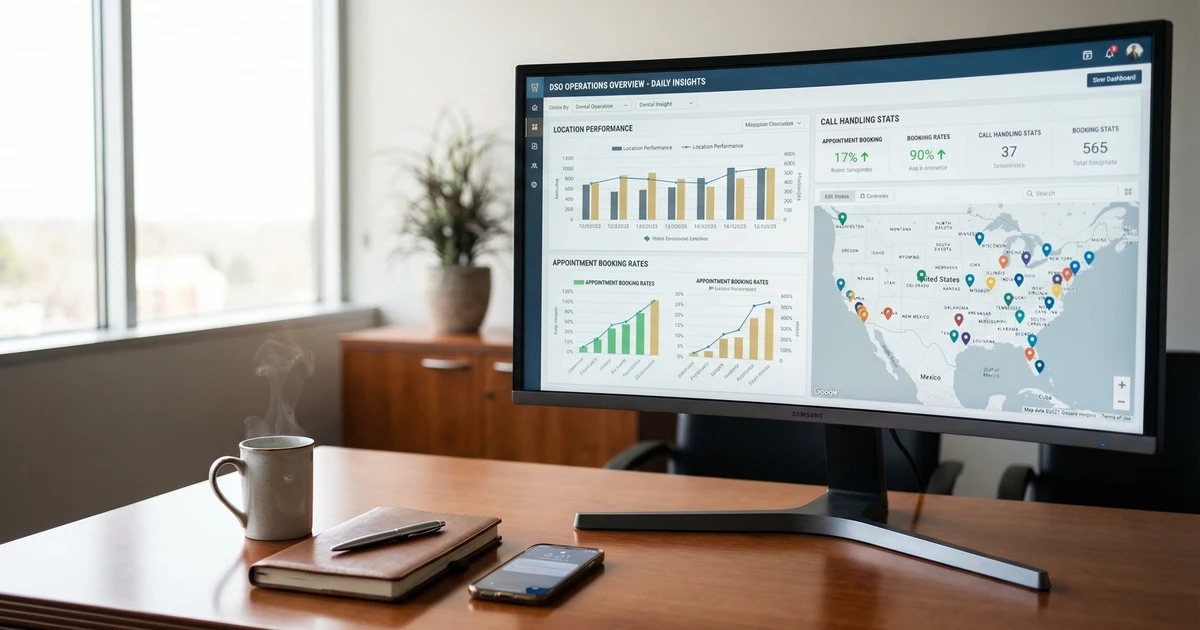
Every DSO acquisition adds another PM system to the stack. You’re told integration means 18-month migrations. It doesn’t. Workflow standardization captures most of the operational value in 90 days across Dentrix, Eaglesoft, Open Dental, or whatever you’ve got. Your mixed PM stack isn’t the problem. Waiting for perfect consolidation is.
What You’ll Learn
- Why Do Most Dental Software Integrations Take 18 Months?
- What Does “Integration” Actually Mean for Multi-Location DSOs?
- The 90-Day vs. 18-Month Integration Decision
- How Does Workflow-First Integration Work Across Mixed PM Systems?
- What Results Are DSOs Seeing from Workflow Standardization?
- Which Dental Software Integrations Deliver the Fastest ROI?
- How Do You Build a 90-Day Integration Roadmap?
- What Technology Stack Do You Need by Location Count?
- What Are the Most Common Integration Mistakes?
- 12 Questions to Ask Before Your Next PM Migration
Why Do Most Dental Software Integrations Take 18 Months?
Traditional dental software integrations follow a predictable pattern. First, you select a target PM system. Then you plan the data migration. Next comes staff training, workflow reconstruction, insurance mapping, and patient communication updates. Each step waits for the previous one to finish. The result: a sequential process stretching 12 to 18 months minimum.
Every acquisition compounds the problem. You buy a practice running Dentrix while your standard runs Eaglesoft. Now you’re converting years of clinical notes, moving insurance verification workflows, retraining staff on new interfaces, and hoping patients don’t notice. Meanwhile, last quarter’s acquisition remains mid-migration. Next month’s target runs Open Dental.
Staff turnover makes this timeline even more punishing. The DentalPost 2024 Salary Survey shows front-office turnover at 29.7% annually. By the time your 18-month PM migration completes, more than a third of the staff you trained at the start have already left. You’re perpetually training new employees on a system still in transition.
The ADA Health Policy Institute reports that 60% of dentists cite staffing as their top 2025 challenge. Another 38.3% rate administrative recruiting as “very challenging.” When your integration timeline measures in years, you’re fighting workforce dynamics that guarantee disruption.
This creates integration debt. Every month you delay standardization, operational inconsistencies compound. Reporting stays fragmented. Best practices can’t spread across locations. Missed calls continue hurting patient retention while you wait for a “perfect” integrated state that keeps receding.
What Does “Integration” Actually Mean for Multi-Location DSOs?
The dental industry conflates two distinct concepts under one word. System integration means running the same software everywhere through PM consolidation. Workflow integration means standardizing how work gets done, regardless of which software each location runs. Treating them as equivalent keeps most DSOs stuck in perpetual migration mode.
System integration follows conventional wisdom. Pick your target PM. Migrate everyone to it. Then build standardized processes on your unified platform. This approach assumes software uniformity must precede operational consistency. That assumption works for a single-practice owner. It falls apart at scale.
Workflow integration takes the opposite approach. You standardize processes first: how calls get answered, how appointments get scheduled, how patient intake flows, how recall campaigns run. These workflows operate identically across Dentrix, Eaglesoft, Open Dental, or any other PM system. The integration layer sits above your disparate systems rather than replacing them.
Think of it as “standardize the what, localize the how.” Every location answers calls the same way, follows the same scheduling protocols, and measures the same KPIs. But the specific buttons each front desk team clicks depend on their local PM system. The Intermedia Group unified operations across 12 different PMS platforms using this approach. Mixed PM environments can achieve operational consistency without forced consolidation.
For growing DSOs, mixed PM environments aren’t temporary problems. They’re permanent features of acquisition-driven growth. The DSO market expands from $27 billion in 2023 toward $455 billion by 2030 according to TrueLark industry analysis. That growth comes through acquisitions. Each acquisition brings whatever PM system the seller used. Waiting for PM consolidation means waiting forever.
The 90-Day vs. 18-Month Integration Decision
The core insight: workflow standardization captures most of the operational value in a fraction of the time.
Traditional PM Migration
Timeline: 18+ months
Scope: Data, training, workflows, insurance, communications
Value capture: Begins after migration completes
Risk: Staff turnover erases training investment
Workflow Standardization
Timeline: 90 days
Scope: Phone handling, scheduling, intake, recall
Value capture: Begins in Week 2
Risk: Minimal. Existing PM systems continue operating
PM migration requires sequential completion of dependent phases. You can’t train staff on new workflows until data migration completes. You can’t migrate data until you’ve mapped all fields between systems. You can’t map fields until you’ve documented current state across every location. Each dependency extends the timeline.
Workflow standardization runs in parallel with existing operations. Staff continue using their familiar PM systems while you overlay standardized processes for high-impact functions. Centralized patient recall across multi-location groups deploys within 30 days regardless of PM system. The front desk clicks the same buttons they always have, but now they follow consistent protocols enabling cross-location visibility.
The 90-day project stays available to you. Even if you eventually plan PM consolidation, nothing prevents standardizing workflows first. Capture the operational value now. Then decide whether PM migration deserves the remaining 20% of potential improvement. For many DSOs, workflow integration proves sufficient. PM consolidation becomes optional rather than urgent.
This sequence matters enormously to PE sponsors measuring performance quarterly. Showing operational improvement in Q1 beats promising it in 18 months. The Thinc Forward DSO consulting group validates phased stabilization as superior to “big bang” migrations that delay value capture while creating organizational chaos.
How Does Workflow-First Integration Work Across Mixed PM Systems?
Workflow-first integration creates a standardization layer operating independently of underlying PM systems. This layer handles patient-facing and operationally critical functions while leaving clinical documentation untouched.
The integration layer covers four core workflows. First, phone handling and call routing: every location answers calls identically, captures the same information, and follows the same escalation protocols. Second, appointment scheduling: staff check availability, handle waitlists, and confirm bookings using standardized methods regardless of their scheduling interface. Third, patient intake: uniform collection of demographics, insurance information, and health history. Fourth, recall and reactivation campaigns: consistent outreach cadences working across any PM’s patient database.
These workflows don’t require PM access to function. A centralized intake system collects patient information through digital forms. Staff then enter data into their local PM. Appointment reminder best practices that reduce no-shows operate from exported patient lists without real-time PM integration. Standardization happens at the process level, not the software level.
For DSOs ready to add technical integration, modern middleware platforms connect to multiple PM systems simultaneously. These platforms pull appointment data, patient demographics, and clinical notes from Dentrix, Eaglesoft, and Open Dental through their respective APIs. The middleware normalizes data into a unified dashboard. Staff at each location continue using familiar systems while executives gain cross-location visibility they never had.
The Bola AI team advises prioritizing “practical, FDA-cleared tools that enhance workflows without overhauls, focusing on add-ons over replacements.” This philosophy extends beyond AI to all dental software integrations. The best integrations supplement existing systems rather than replacing them.
What Results Are DSOs Seeing from Workflow Standardization?
The business case for workflow-first integration comes from DSOs already making the switch. Results consistently show faster value capture and lower implementation risk than traditional PM migration.
A MyBCAT customer, a 12-location DSO, implemented workflow standardization over 90 days, focusing on centralized call handling and scheduling protocols. Within six months, they cut front-desk labor costs by 40% without reducing patient capacity. Savings came from eliminating duplicate data entry, standardizing scheduling efficiency, and enabling cross-training across locations. This DSO runs three different PM systems. They have no plans to consolidate.
The Smilist DSO documented $397,000 in annual revenue gain after implementing workflow integration. Over 1,000 additional appointments per month now flow through standardized scheduling protocols. Their approach focused on DSO patient retention strategy optimization rather than PM consolidation. They achieved results without disrupting clinical operations.
Cloud-based PM systems now hold 43.6% of the dental practice management market according to Global Market Insights. They’re growing at 10.9% annually. This trend supports workflow-first integration because cloud systems typically offer better API access than legacy server-based installations. Even without PM migration, DSOs can often improve integration capabilities by upgrading to cloud versions of their existing PM systems.
The Clerri dental workflow platform reports that workflow-first approaches cut enrollment friction by over 90% and enable sub-second posting times. These improvements come from optimizing the process layer rather than replacing the PM layer. Staff spend less time on data entry not because they have better software, but because standardized workflows eliminate redundant steps.
Which Dental Software Integrations Deliver the Fastest ROI?
Not all dental software integrations deliver equal value. The highest-impact integrations address the most labor-intensive processes with the greatest variance across locations. Start here before pursuing more complex technical integrations.
Phone system integration with caller ID lookup delivers immediate ROI by eliminating the “who is this patient?” search starting every call. Incoming calls automatically display patient name, appointment history, and account balance. Front desk staff save 30 to 60 seconds per call. Multiply by 50 calls per day per location. A 20-location DSO recovers hundreds of hours monthly.
Patient intake digitization removes the clipboard-and-scanning workflow consuming front desk time before every new patient visit. Patients complete digital forms before arrival. Data flows into the PM without manual re-entry. Intake time drops from 15 minutes to under 5 minutes per patient. This integration works across PM systems because the intake platform handles data standardization.
Automated appointment reminders and confirmations represent perhaps the highest-impact integration for most DSOs. Systems send text confirmations, collect responses, and update PM schedules automatically. Thousands of outbound calls disappear monthly. Front desk recall workflow optimization improves when staff stop making confirmation calls and start focusing on patient experience.
Insurance verification automation addresses one of the most time-consuming back-office functions. Integrations pull eligibility data directly from payer portals and auto-populate PM fields. They save 10 to 15 minutes per new patient. For high-volume practices, this represents significant labor hours annually.
Two-way texting platforms enable patient communication meeting modern expectations. Patients text questions, request appointments, or reschedule without calling. Phone volume drops. Patient satisfaction increases. These platforms integrate with most PM systems through basic patient matching rather than complex API connections.
How Do You Build a 90-Day Integration Roadmap?
A 90-day integration roadmap prioritizes quick wins in month one, core workflow standardization in month two, and measurement in month three. This cadence delivers visible results fast enough to maintain organizational momentum. These quick wins translate directly to EBITDA margin improvement you can show PE sponsors.
Days 1-30: Foundation and Quick Wins
Start with a current-state assessment across all locations. Document which PM system each runs, what integrations already exist, and where the most obvious inefficiencies live. This takes two weeks maximum.
Simultaneously, deploy low-friction integrations requiring no workflow changes. Phone system caller ID lookup, automated appointment reminders, and digital intake forms deploy in parallel with your assessment. These quick wins build credibility for larger changes coming in month two.
Establish baseline metrics during this phase. Track call answer rates, scheduling conversion, patient wait times, and any other KPIs measuring improvement. You can’t prove ROI without knowing where you started.
Days 31-60: Core Workflow Standardization
Deploy your standardized call handling protocol across all locations. Create scripts. Train staff. Begin monitoring adherence. This phase requires more change management than technical work. Staff need to understand why they follow new protocols and how their performance gets measured.
Roll out centralized scheduling oversight. This might mean a central team handling overflow calls. It might mean standardized scheduling rules each location follows independently. The right model depends on your location count and call volume distribution.
Launch your recall automation campaign structure. Define the contact cadence, message templates, and success metrics every location uses. Reactivation without discounts strategies work best when running consistently across your network.
Days 61-90: Measurement and Optimization
Compare post-deployment metrics against your baseline. Calculate actual labor savings, revenue improvement from better scheduling conversion, and any other targeted outcomes. Document wins for PE sponsors and internal stakeholders.
Identify the next tier of integration opportunities based on what you learned. Some locations may need additional training. Some workflows may need adjustment. Some integrations may have outperformed expectations and deserve expansion.
Build the business case for Phase 2 based on Phase 1 results. If workflow standardization delivered meaningful ROI, you have evidence supporting additional investment. If it fell short, you have data to diagnose why before committing to larger initiatives.
What Technology Stack Do You Need by Location Count?
Integration requirements scale with location count. A 5-location group needs different capabilities than a 50-location group. Building the right stack at each stage prevents underinvestment and overengineering.
5-10 Locations: Foundational Integration
Focus on the basics. You need a modern phone system with caller ID integration, even if it’s just a spreadsheet lookup. You need automated appointment reminders, even if they’re simple text messages without two-way functionality. You need digital intake forms, even if someone still manually enters data into the PM.
Don’t invest in sophisticated middleware platforms at this scale. Setup overhead doesn’t justify the benefit. Focus on process standardization with manual handoffs between systems. Your goal: operational consistency, not technical elegance.
10-25 Locations: Operational Infrastructure
This scale demands purpose-built integration platforms. Your phone system should handle intelligent call routing, capturing call data flowing into your analytics stack. Your scheduling system should provide visibility across locations with centralized overflow management. Your recall system should run automated campaigns without manual list generation.
Consider a dedicated operations team at this stage. Someone needs to own cross-location performance metrics, identify variance between locations, and drive continuous improvement. This role sits above individual practice managers and below the VP of Operations.
25-50+ Locations: Enterprise Architecture
Enterprise-scale DSOs need middleware connecting multiple PM systems to a unified data layer. Real-time dashboards should show performance by location, region, and network. Automated alerting should flag anomalies before they become problems.
At this scale, you’re likely running multiple PM systems and phone systems across different acquisitions. Your integration architecture needs to accommodate this heterogeneity rather than fighting it. The Intermedia Group unified operations across 12+ PMS platforms, demonstrating enterprise scale doesn’t require PM consolidation.
What Are the Most Common Integration Mistakes?
DSOs struggling with dental software integrations typically make the same mistakes. Understanding these patterns helps you avoid them.
Mistake #1: Starting with PM Migration
The most expensive mistake: assuming PM consolidation must precede operational standardization. This sequence maximizes time-to-value while creating organizational disruption that stalls momentum. Start with workflow standardization. Evaluate PM consolidation separately once you’ve captured process-level value.
Mistake #2: Ignoring Staff Turnover
Integration plans assuming staff stability underestimate the challenge. With nearly 30% annual front-desk turnover, your training investment deprecates rapidly. Design for turnover by creating process documentation new hires can follow, not tribal knowledge walking out the door.
Mistake #3: Overengineering Early
DSOs at 8 locations shouldn’t use technology designed for groups with 80 locations. Sophistication appropriate for your future scale creates unnecessary complexity at your current scale. Buy for today’s needs. Plan to upgrade as you grow.
Mistake #4: Underestimating Change Management
Technical integrations come easier than people integrations. Staff resist new workflows regardless of how much better they look on paper. Budget time for training, coaching, and reinforcement. Expect pushback. Plan your response in advance.
Mistake #5: Skipping the Baseline
Integration initiatives that don’t establish baseline metrics before rollout can’t prove ROI afterward. Spend time upfront measuring current state so you can demonstrate improvement.
Mistake #6: Pursuing Perfect Over Progress
Some DSOs delay integration indefinitely while searching for the perfect solution. No perfect solution exists. Every platform has limitations. The cost of waiting for perfection exceeds the cost of deploying good-enough solutions and improving them over time.
12 Questions to Ask Before Your Next PM Migration
Before committing to an 18-month PM migration, answer these questions honestly. They’ll help you determine whether migration proves necessary or whether workflow integration delivers what you actually need.
-
What specific operational outcomes do we expect from PM consolidation that we cannot achieve through workflow standardization?
-
Have we calculated the total migration cost including staff retraining, productivity loss during transition, and potential patient attrition?
-
What timeline do we expect, and do we have realistic buffers for inevitable delays?
-
How will we maintain service levels during transition when staff learn new systems?
-
What happens to our integration timeline when we acquire another practice running a different PM system next quarter?
-
Can our target PM system actually deliver the integrations we need, or will we still need middleware?
-
Have we standardized our workflows first, or do we hope new software will impose standardization for us?
-
Do we have executive sponsorship and budget commitment for an 18-month initiative?
-
What’s our plan for the nearly 30% of front-desk staff who will turn over during migration?
-
Are there locations where the existing PM system works well and migration would create more problems than it solves?
-
What’s our fallback plan if migration fails or takes significantly longer than projected?
-
Have we consulted with similar-sized DSOs who completed this migration to understand their actual experience?
If you can’t answer these questions confidently, you’re not ready for PM migration. Consider workflow integration as the faster, lower-risk path to operational improvement. You can always revisit PM consolidation after capturing value through process standardization.
The dental software integrations that save time are the ones you deploy in weeks rather than years. Start with workflows. Standardize the processes that matter most. Build your integration architecture incrementally as your network grows. Your mixed PM stack isn’t holding you back. Your integration strategy might be.
Ready to Centralize Your Intake Operations?
See how MyBCAT helps multi-location dental groups achieve operational consistency across mixed PM systems in 90 days, not 18 months.
Related Reading
- Dental Answering Service California: DSO Solutions
- Case Study: How a 15-Location DSO Reduced Missed Calls by 81% Post-Acquisition